Scheduling that matches how cleaning work actually runs
Nightly, weekly and one-off jobs per site, assigned to crews and repeated automatically, with a running-late alert the moment a worker hasn't clocked in.
- Recurring jobs per site, so a nightly clean is set up once
- Crews of any size, with a job copied in one tap when a new site looks like an old one
- A running-late alert for each worker who hasn't clocked in by the start time
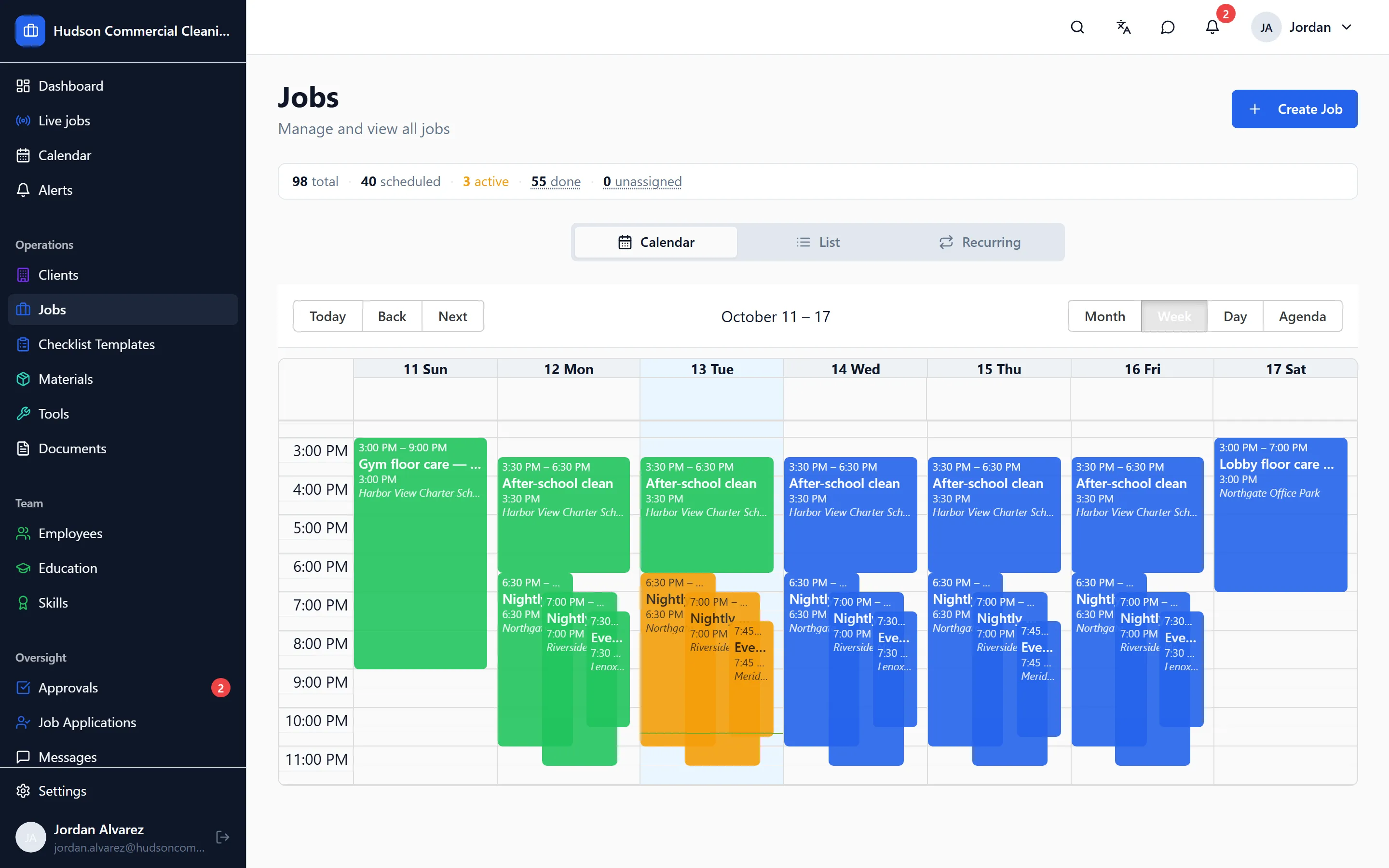
Most cleaning schedules are the same jobs, every night, at the same buildings, with a few one-offs and a floor-care weekend thrown in. CleanFlow Ops is built for that shape of work instead of a generic calendar.
What it does
Every job belongs to a client site and has a start, an end, a crew and a checklist. Nightly and weekly jobs repeat on their own; when a new site runs like an existing one, the job is copied rather than rebuilt. The board and the calendar show the week, so a supervisor can see at a glance which buildings are covered tonight and who is on each.
The schedule also drives the rest of the app. A worker’s clock-in only counts at the job’s building, the checklist that opens is the one for that site, and the hours that come out the other end are tied to the job they were worked on.
When a job goes wrong
The office hears about it from the app, not from the client in the morning:
- If a worker hasn’t clocked in by the job’s start time, the manager gets a running-late alert for that worker, with the job’s name in it.
- A no-show has to be acknowledged by a manager, so it can’t quietly disappear.
- A job whose worker forgot to clock out is shown as still open, and is prompted for at the worker’s next clock-in, before the hours go anywhere near payroll.
What the office sees
Jobs move through a clear set of states: scheduled, in progress, submitted by the crew, approved, or closed by a manager. A manager can close a job on behalf of a crew when the night ends messily, but it has to carry a reason and it stays marked as a manager close, so it never looks like the crew’s own submission.
Managers can also look at the past: every visit to a site, who worked it, how long it took against the hours allotted, and what the client was shown.
Goes with it
Checklists with photo proof for every task
Site-specific checklists on the worker's phone, with photos required where you say, time-stamped, and reviewed by a manager before a client sees anything.
A time clock that only works at the building
Clock-in from the app at the job site, forgotten clock-outs caught before payroll, and a manager review where approved hours are the only ones that count.
A portal your clients can check before they call you
Each client gets a login to see their approved visits, with photos and times, and a place to rate the work or raise an issue.
See it on your own sites
A 30-minute walk-through with your real sites and schedule, not a canned slideshow. If it fits, we set up your account with you.