Checklists with photo proof for every task
Site-specific checklists on the worker's phone, with photos required where you say, time-stamped, and reviewed by a manager before a client sees anything.
- A checklist per site, built from your own templates and grouped by area
- Photos required on the tasks you choose; each one time-stamped at the job
- Nothing reaches the client until every task is done and a manager has approved it
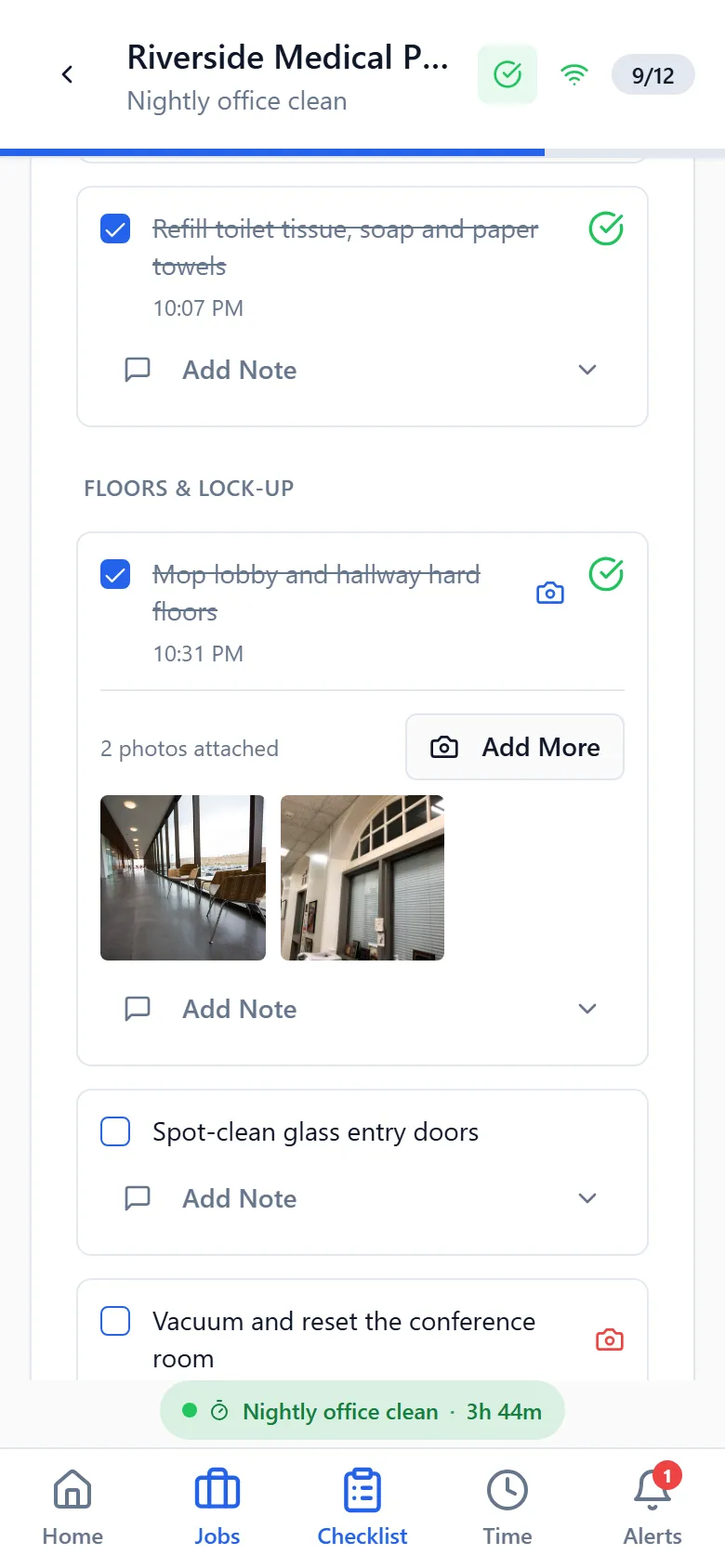
The question every commercial cleaning company gets is some version of “did anyone actually come last night?” CleanFlow Ops answers it with the crew’s own checklist, task by task, with the photos to go with it.
How crews use it
When a worker clocks in, the checklist for that building opens on their phone. Tasks are grouped by area, such as the third-floor restrooms or the lobby, in the order the site is usually walked. The worker ticks each task as they go. On the tasks you’ve marked as needing proof, the app asks for a photo before the task counts as done, and it stamps that photo with the time and the job.
Workers can add general photos too, for anything worth showing: a spill they found, a door left unlocked, a supply running low. Notes they write for the office stay with the office.
What the office sees
A submitted checklist lands with a manager, who sees every task, every photo and how long the visit took. The manager approves it, or sends it back with a message. The client is shown the visit only after that approval, and only if every task was done. A job a manager had to close for the crew is marked as such, so a manager’s close is never mistaken for the crew’s own work.
Why the rules are strict
- Clients see only approved, completed visits. Partial work is never presented as finished.
- Worker notes and end-of-job reports are internal. The client sees the manager’s approval message, nothing else.
- A manager’s force-close needs a written reason, and the worker’s own ticks are kept alongside it.
That strictness is what makes the proof worth something. When a client calls to say the conference room was missed, the office opens the visit and looks at the photo of the conference room, with the time on it.
Works without signal
Basements and server rooms don’t have coverage. Ticks and photos save on the phone and send themselves when the signal comes back. The worker never has to redo anything, and never has to decide between two versions of a checklist; the app merges them.
Goes with it
Scheduling that matches how cleaning work actually runs
Nightly, weekly and one-off jobs per site, assigned to crews and repeated automatically, with a running-late alert the moment a worker hasn't clocked in.
A time clock that only works at the building
Clock-in from the app at the job site, forgotten clock-outs caught before payroll, and a manager review where approved hours are the only ones that count.
A portal your clients can check before they call you
Each client gets a login to see their approved visits, with photos and times, and a place to rate the work or raise an issue.
See it on your own sites
A 30-minute walk-through with your real sites and schedule, not a canned slideshow. If it fits, we set up your account with you.