Proof the site got cleaned. Hours you can run payroll on.

CleanFlow Ops is the app your crews use at the building and the office uses to see it: checklists with photo proof, a time clock that only works on site, a portal your clients can check, and approved hours ready for payroll.

Built in New York with a commercial cleaning company whose crews use it every night.

Download on the App StoreGet it on Google Play
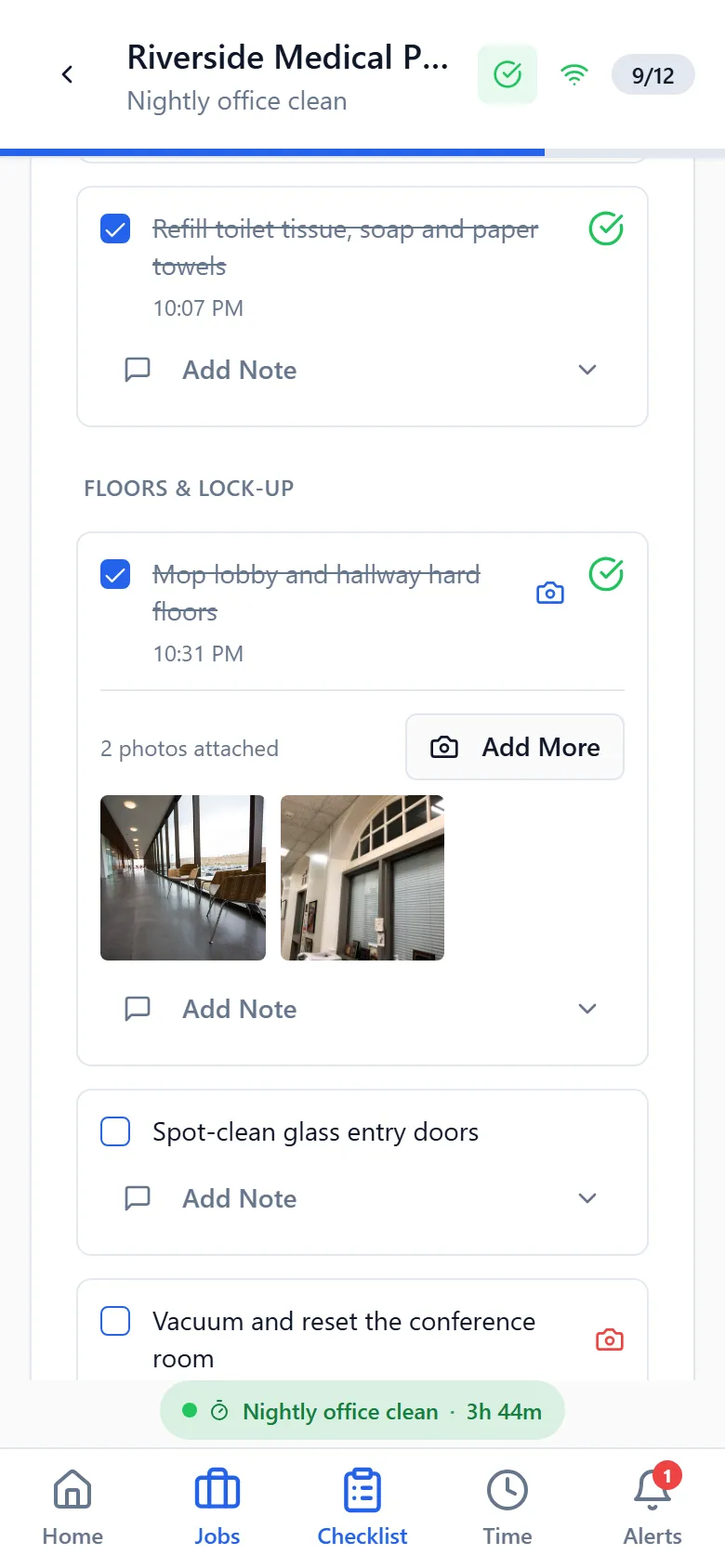
A cleaner's phone showing tonight's checklist at Riverside Medical Plaza, with tasks ticked and photos attached.
Clocked in 6:02 PM at the site
4 of 4 photos attached

Three calls you stop getting

"Nobody cleaned the third floor last night."

Open the visit. Every task is ticked with a time, and the restroom and kitchen photos were taken at 9:48 PM at that address. Send the client the link.

Checklists and photo proof

"I forgot to clock out, can you fix my hours?"

The app asked them at their next clock-in and they set the real time. A manager reviews it with the rest of the week before anything is paid.

Time clock and timesheets

"What did we actually use at the plaza last month?"

Every liner, bottle and roll was logged against the job it went to. The answer is a report, and so is the price you should have quoted.

Supplies and tools

What your crews and your office get

One app, two sides: the phone at the building and the screen in the office.

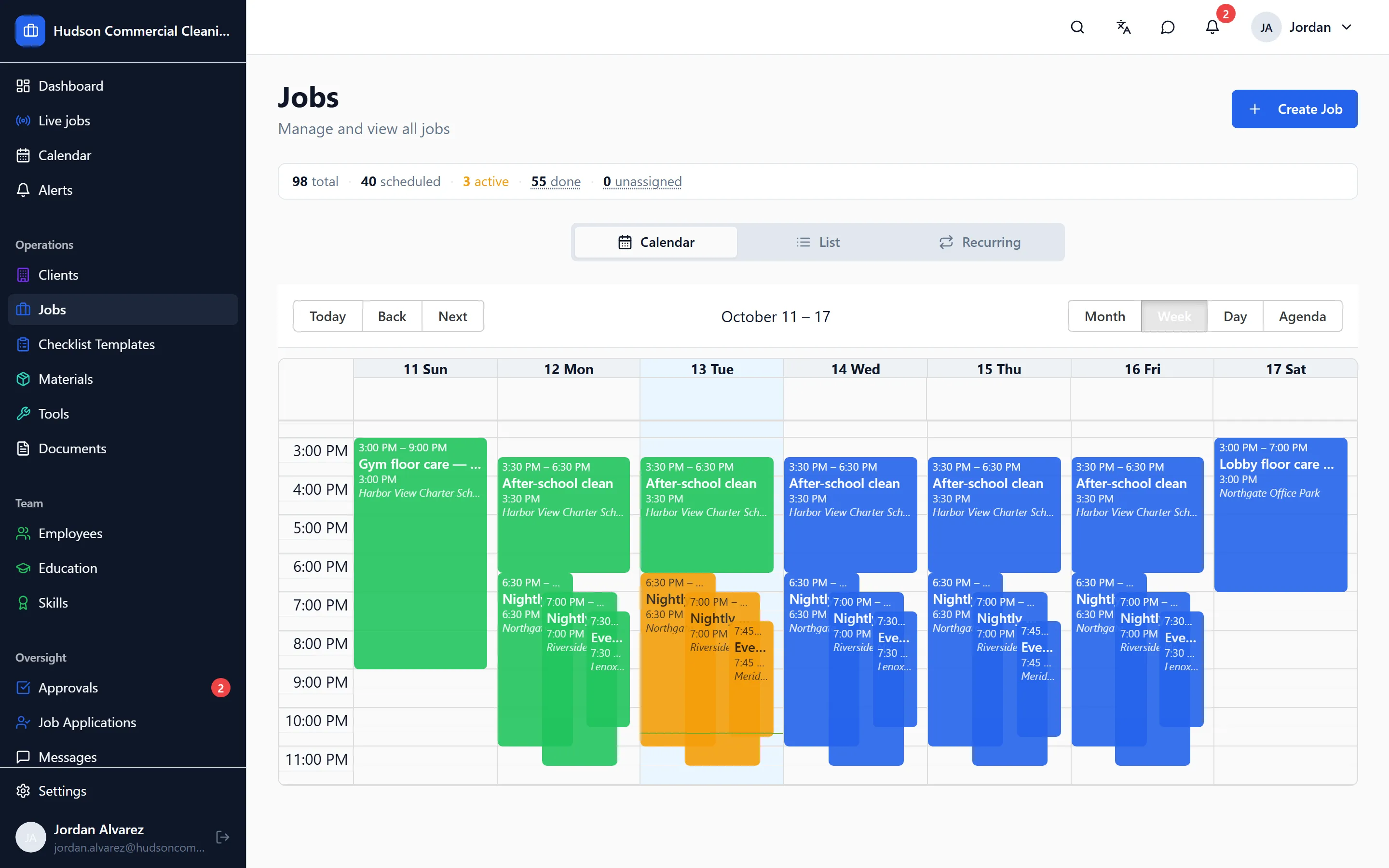
The CleanFlow Ops job board for one week, with nightly office cleans at several client sites assigned to crews.

Scheduling that matches how cleaning work actually runs

Nightly, weekly and one-off jobs per site, assigned to crews and repeated automatically, with a running-late alert the moment a worker hasn't clocked in.

  • Recurring jobs per site, so a nightly clean is set up once
  • Crews of any size, with a job copied in one tap when a new site looks like an old one
  • A running-late alert for each worker who hasn't clocked in by the start time
More about scheduling
A cleaner's phone showing a job checklist with tasks ticked off and photos attached to the ones that require proof.

Checklists with photo proof for every task

Site-specific checklists on the worker's phone, with photos required where you say, time-stamped, and reviewed by a manager before a client sees anything.

  • A checklist per site, built from your own templates and grouped by area
  • Photos required on the tasks you choose; each one time-stamped at the job
  • Nothing reaches the client until every task is done and a manager has approved it
More about checklists and photo proof
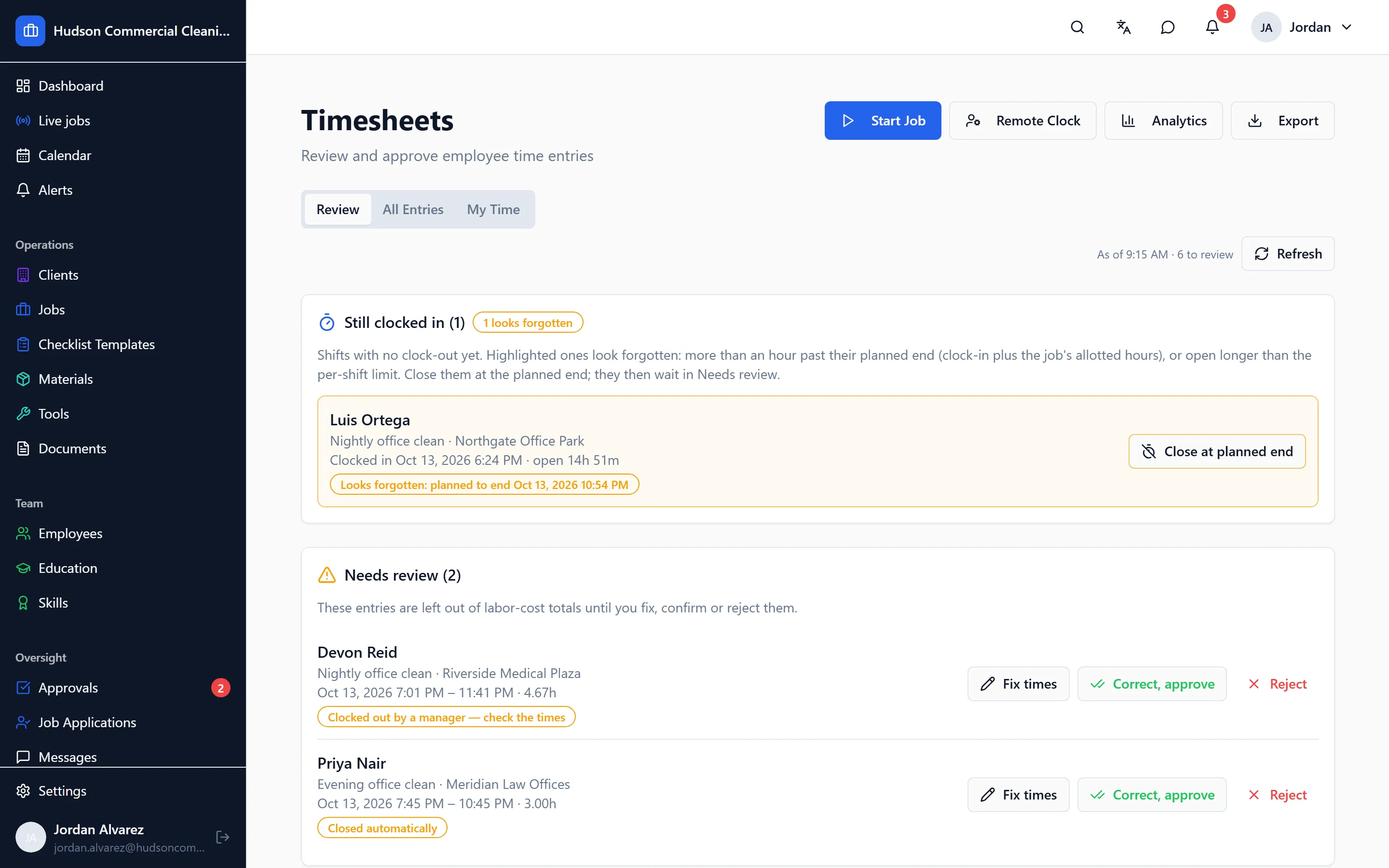
The Timesheets review screen, with a week of shifts awaiting approval and one flagged for a clock-out away from the site.

A time clock that only works at the building

Clock-in from the app at the job site, forgotten clock-outs caught before payroll, and a manager review where approved hours are the only ones that count.

  • Clock-in only from the app, only within the site's geofence
  • A forgotten clock-out is prompted for at the next clock-in, and flagged for review
  • Managers approve hours per shift; only approved hours reach payroll
More about the time clock and timesheets
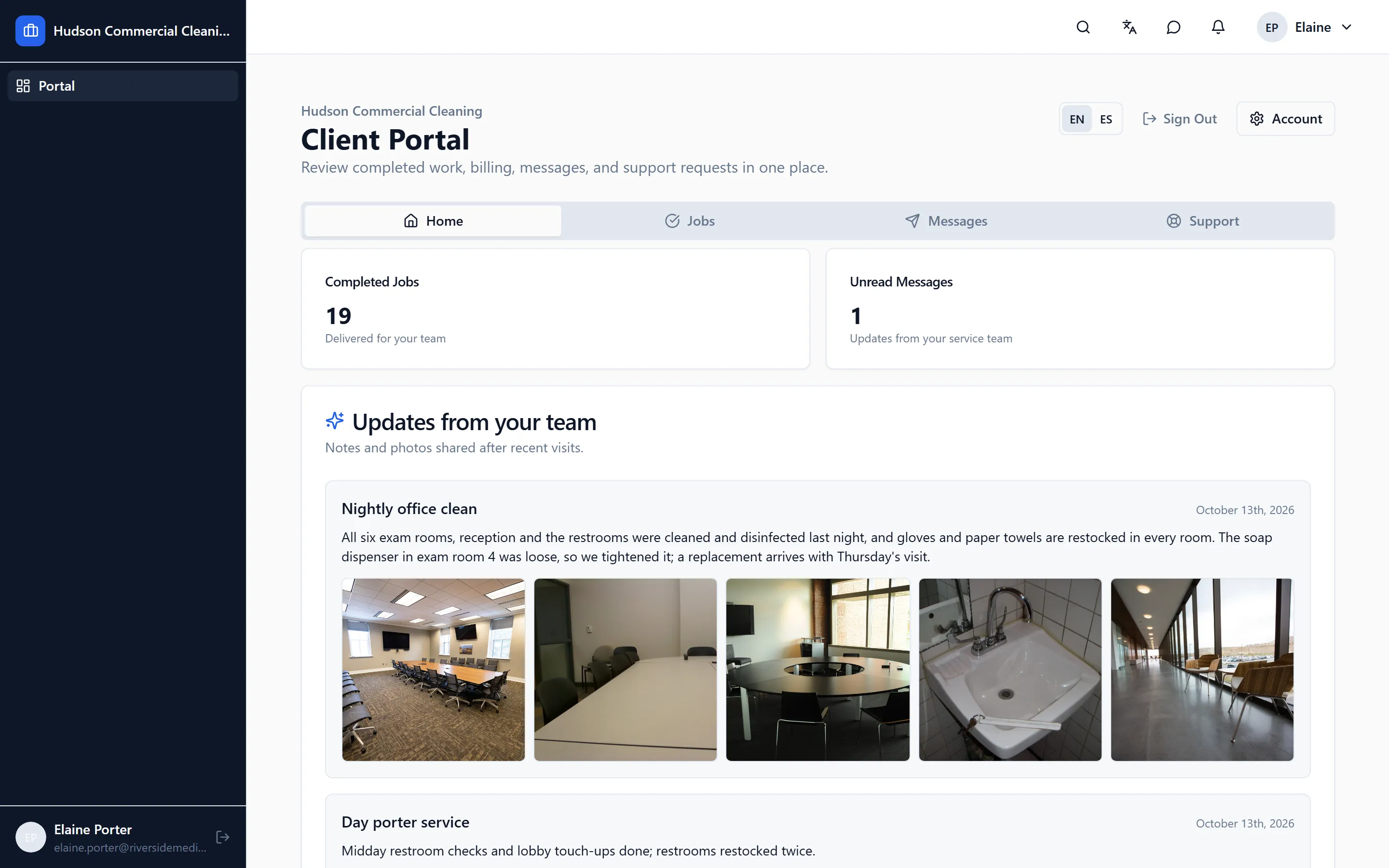
The client portal showing a completed visit report with photos, the time on site and the manager's approval note.

A portal your clients can check before they call you

Each client gets a login to see their approved visits, with photos and times, and a place to rate the work or raise an issue.

  • Clients see approved visits only, with the photos and the time on site
  • Ratings, complaints and messages come through the portal, with a record
  • History starts the day you give a client access; the past stays private
More about the client portal
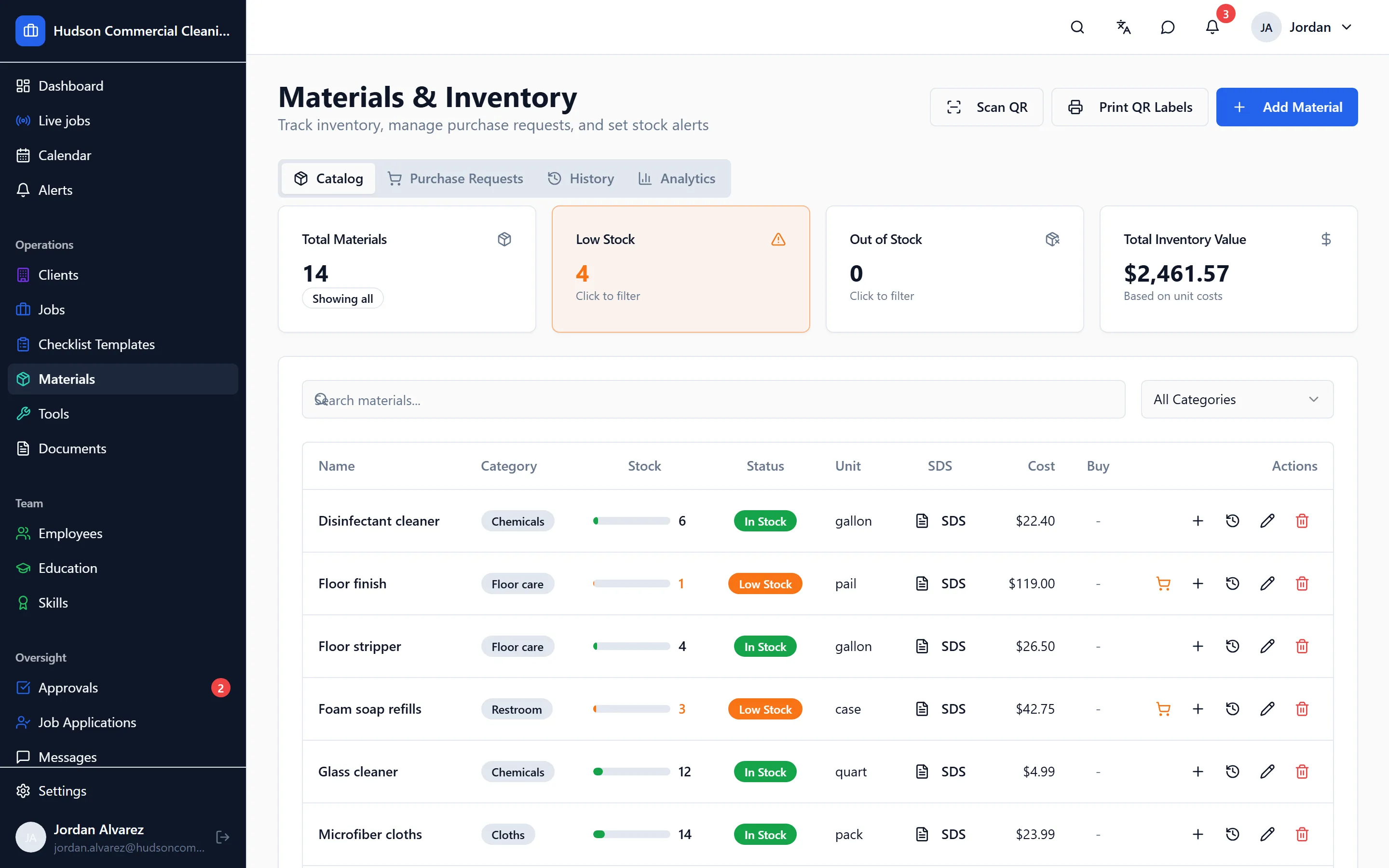
The materials inventory, listing janitorial supplies with current stock, unit cost and the items running low.

Supplies and tools, per site and per job

Stock levels and costs for every supply, usage logged per job, purchase requests with approval, and equipment assigned to the crews using it.

  • Every supply with its stock, unit cost and the last job it was used on
  • Usage logged against the job, so a site's consumption is a report, not a guess
  • Purchase requests from the field, approved by the office before ordering
More about supplies and tools
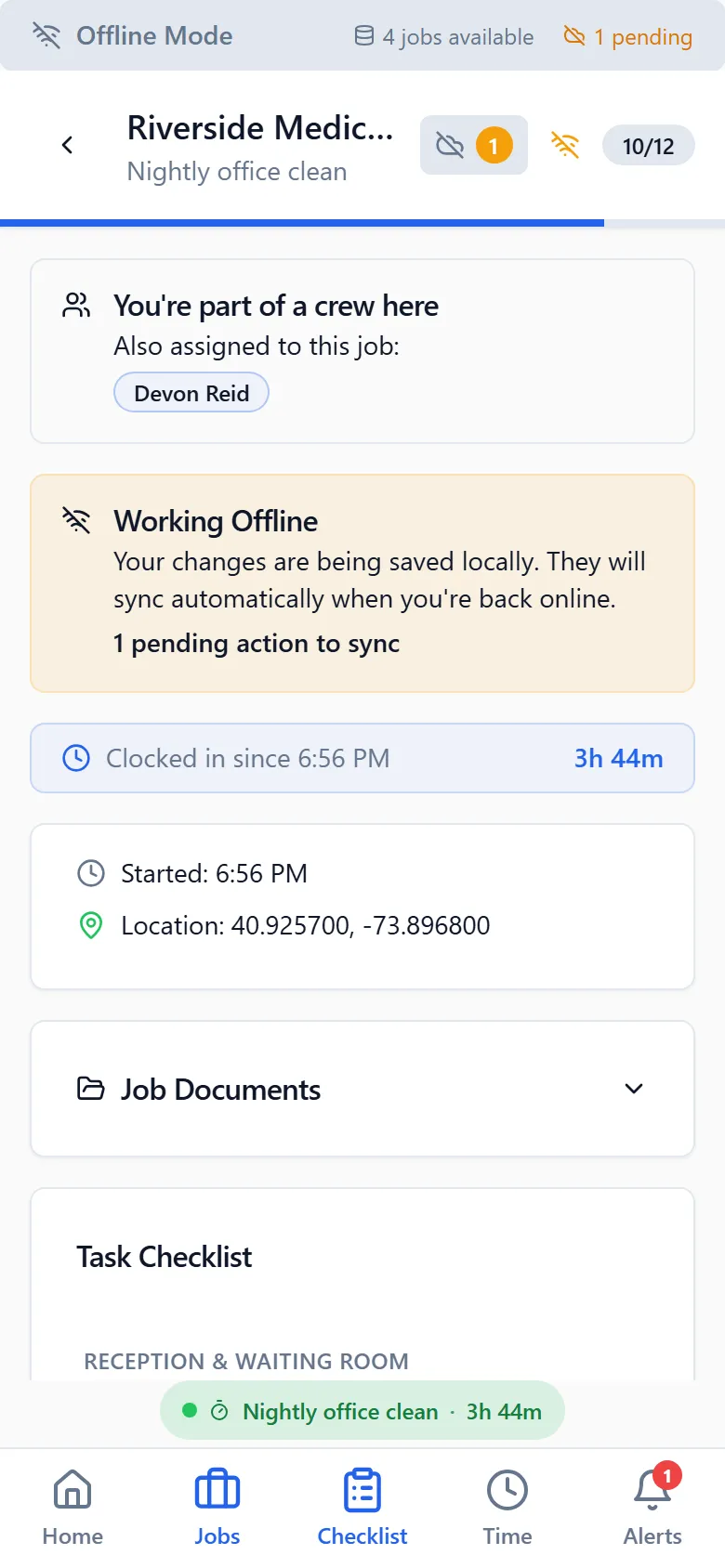
The cleaner's app working with no connection, showing the offline notice and the changes waiting to send.

An app for the phone your cleaners already have

iPhone and Android, in English or Spanish, built for a worker's own phone, and it keeps working where there is no signal.

  • On the App Store and Google Play; no company phones needed
  • Every worker screen in English and Spanish, chosen by the worker
  • Checklists and photos save on the phone and send when the signal returns
More about the mobile app

How it starts

  1. A 30-minute demo on your sites

    We walk through the app with your real buildings and schedule, and give you a price for your crew size.

  2. We set up your account with you

    Sites, geofences, crews, checklists and client contacts, on a call. You don't fill in forms alone.

  3. Your crews install the app

    They sign in on their own phones, in English or Spanish. You pick the first night, and the office watches it happen.

Questions owners ask first

Is CleanFlow Ops for commercial or residential cleaning?
Commercial. It is built for janitorial and commercial cleaning companies whose crews work at client buildings: offices, medical, schools, retail. A residential company run the same way, with scheduled recurring visits and crews, can use it too.
How much does it cost?
It is priced per company, by crew size. We give you a number on the demo call once we know how many cleaners and sites you run, and there is nothing to buy before that.
Do my cleaners need company phones?
No. The app runs on the iPhone or Android they already have, in English or Spanish. Clock-in, the checklist, photos and notifications all happen in the app.
Does it track my cleaners all the time?
No. Location is used to check that a clock-in happens at the site and, while a worker is clocked in, that a clock-out does too. It stops when they clock out and is never used off shift. The worker can see this in the app.
What happens in a basement with no signal?
Ticks, photos and clock-outs save on the phone and send themselves when the signal comes back. The worker never redoes anything and is never asked to choose between versions.
Does it run payroll?
It gets the hours ready. Managers approve each shift, and only approved hours count. If you use Paychex, approved hours are sent from inside the app; if not, you get the approved hours per person to enter wherever you run payroll.
How long does it take to get started?
We set up your sites, crews and checklists with you on a call. Your crews install the app and sign in. You pick the night you start, and the office watches the first one happen.


See it on your own sites

A 30-minute walk-through with your real sites and schedule, not a canned slideshow. If it fits, we set up your account with you.