An app for the phone your cleaners already have
iPhone and Android, in English or Spanish, built for a worker's own phone, and it keeps working where there is no signal.
- On the App Store and Google Play; no company phones needed
- Every worker screen in English and Spanish, chosen by the worker
- Checklists and photos save on the phone and send when the signal returns
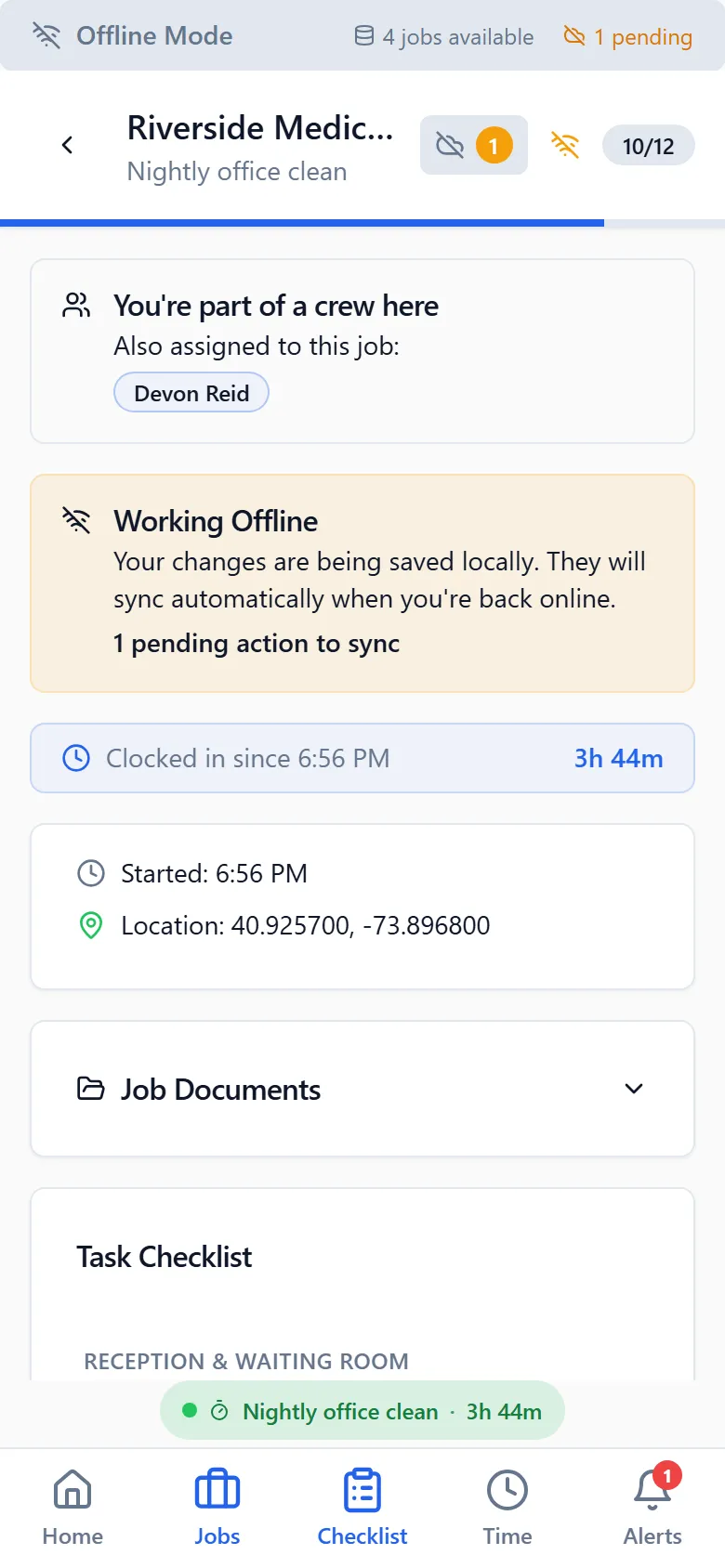
Software a cleaning crew won’t use is worse than paper. CleanFlow Ops is built for a worker’s own phone, in their own language, in the places they actually work.
Their phone, their language
The app is on the App Store and Google Play. Workers install it, sign in once, and see tonight’s job. Every screen a worker touches is available in English and Spanish, and each worker picks their own. Push notifications tell them about a new job, a change, or a shift they left open.
Where there is no signal
Loading docks, basements and interior rooms often have no coverage, and a checklist that fails there gets abandoned. In CleanFlow Ops, ticks, photos and clock-outs are saved on the phone first and sent when the connection is back. If something changed on the server in the meantime, the app merges it; a worker is never asked to choose between two versions of their work.
Built around the shift
- Clock-in happens in the app, at the site. The clock-out screen closes the shift and stops location tracking.
- The checklist for the job opens as soon as the worker is in.
- A shift left open is asked about at the next clock-in.
- Training records and certificates live in the app too, with a code a client can check.
For the office
Managers get the same app, with the review screens, approvals and schedule, and the desktop version in a browser for the longer sessions. One account, every device.
Goes with it
Scheduling that matches how cleaning work actually runs
Nightly, weekly and one-off jobs per site, assigned to crews and repeated automatically, with a running-late alert the moment a worker hasn't clocked in.
Checklists with photo proof for every task
Site-specific checklists on the worker's phone, with photos required where you say, time-stamped, and reviewed by a manager before a client sees anything.
A time clock that only works at the building
Clock-in from the app at the job site, forgotten clock-outs caught before payroll, and a manager review where approved hours are the only ones that count.
See it on your own sites
A 30-minute walk-through with your real sites and schedule, not a canned slideshow. If it fits, we set up your account with you.