Supplies and tools, per site and per job
Stock levels and costs for every supply, usage logged per job, purchase requests with approval, and equipment assigned to the crews using it.
- Every supply with its stock, unit cost and the last job it was used on
- Usage logged against the job, so a site's consumption is a report, not a guess
- Purchase requests from the field, approved by the office before ordering
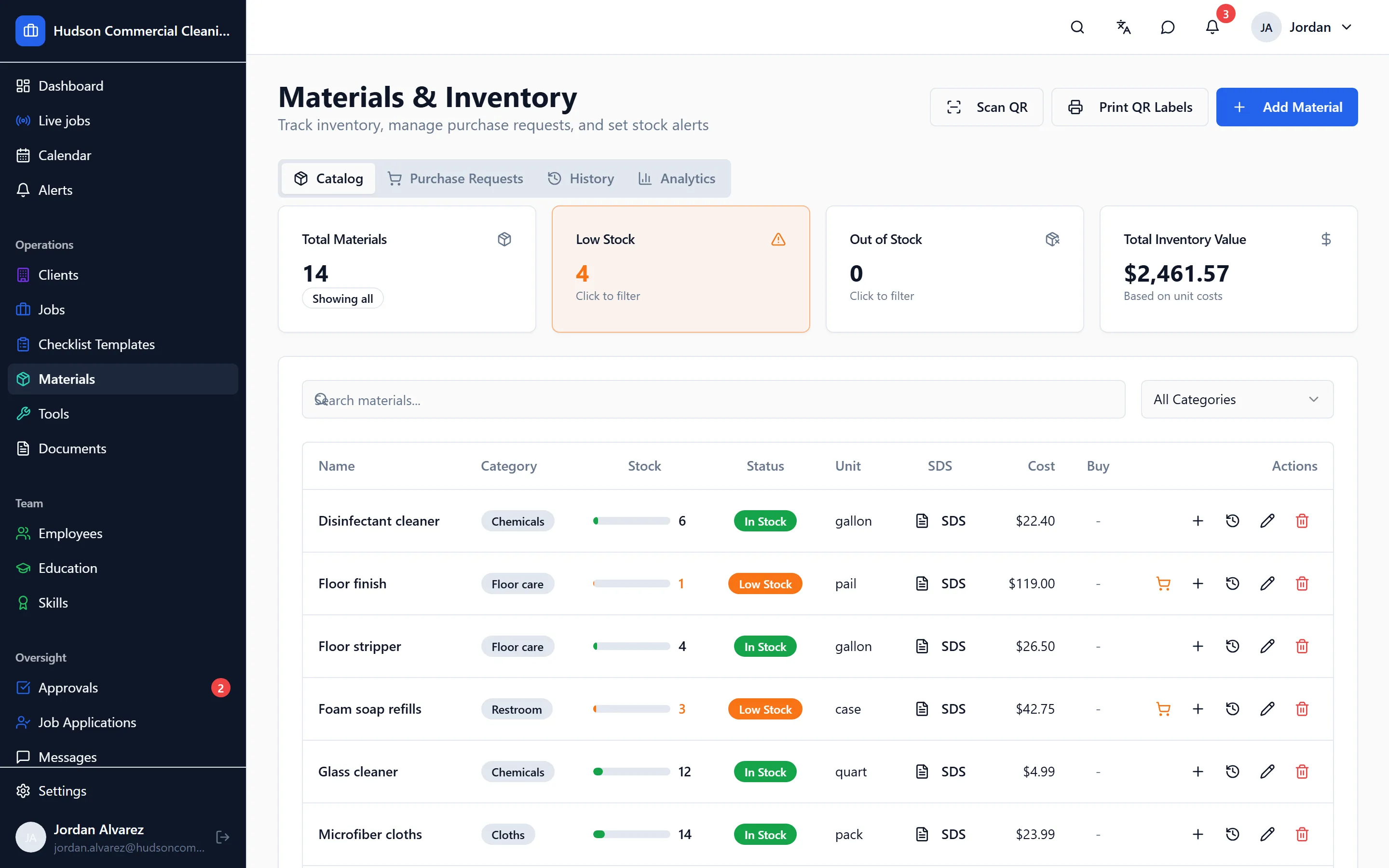
Supplies are the second-biggest cost after labor, and the hardest to see. CleanFlow Ops keeps a live count and ties every movement to a job, so you know what a site actually consumes.
Supplies
Each material has a current stock, a unit cost and a history of every movement: added, used, adjusted, returned. When a crew logs what they used on a job, the stock goes down and the job carries the cost. A per-client threshold tells the office when a site’s stock is running low, before the crew finds the cupboard empty at 9 PM.
Purchase requests
Workers and supervisors raise a purchase request from the app when something is needed. The office approves or rejects it, marks it ordered, and the request stays attached to the record. No more texts that say “we need liners at the plaza”.
Tools and equipment
Vacuums, buffers, carts and keys are tracked as tools, assigned to the jobs and crews using them. When something goes missing, the last job it was logged on is the first place to look.
What you learn
Over a few months the numbers turn into answers: what a site costs in supplies per visit, which crews run through consumables fastest, and where the quote was wrong.
Goes with it
Scheduling that matches how cleaning work actually runs
Nightly, weekly and one-off jobs per site, assigned to crews and repeated automatically, with a running-late alert the moment a worker hasn't clocked in.
Checklists with photo proof for every task
Site-specific checklists on the worker's phone, with photos required where you say, time-stamped, and reviewed by a manager before a client sees anything.
A time clock that only works at the building
Clock-in from the app at the job site, forgotten clock-outs caught before payroll, and a manager review where approved hours are the only ones that count.
See it on your own sites
A 30-minute walk-through with your real sites and schedule, not a canned slideshow. If it fits, we set up your account with you.